Animation Controls
Animation types
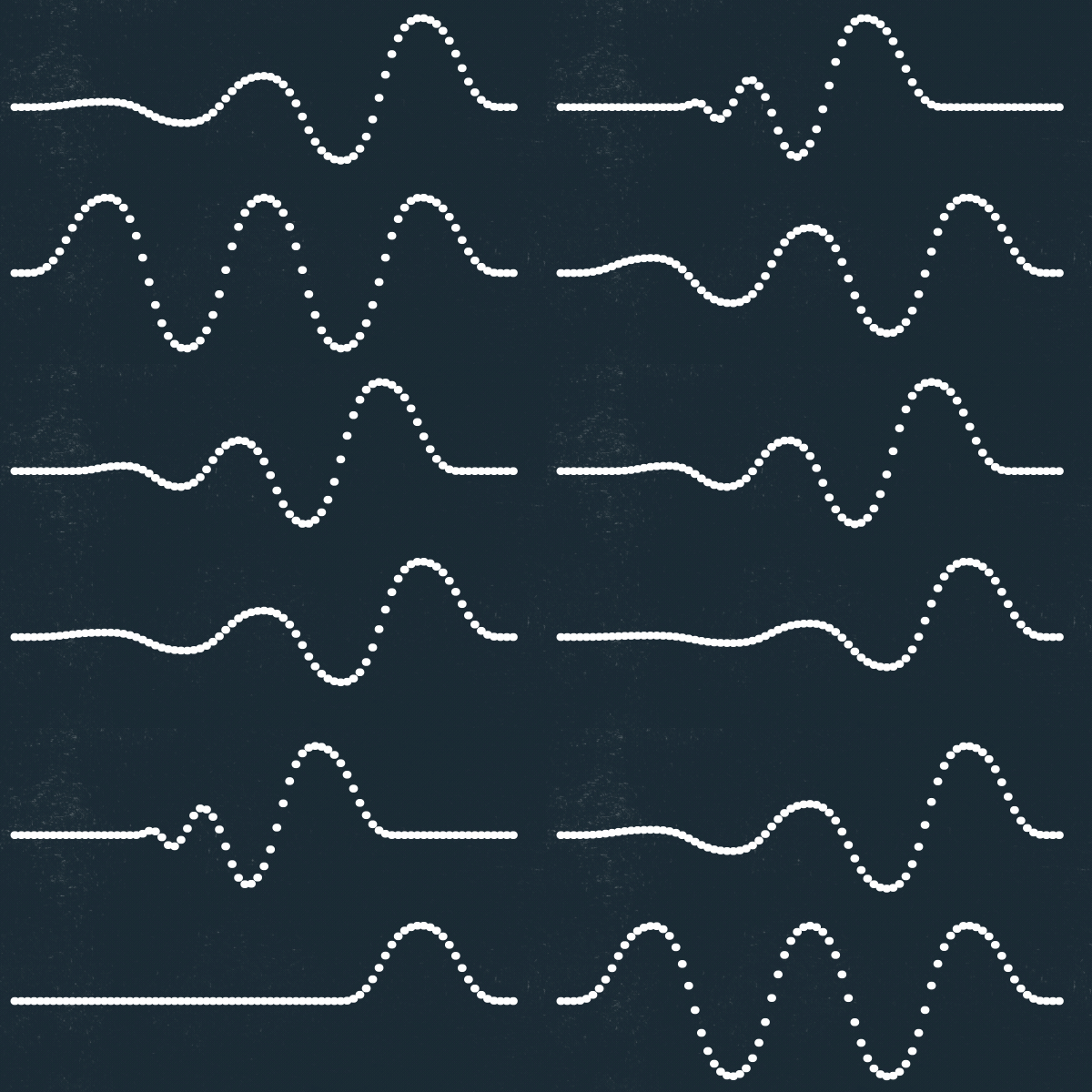
Section titled “Animation types”Type Jazz offers three motion types for both Animation In and Animation Out.
Oscillate
Section titled “Oscillate”Moves the transform values in positive and negative directions around the text’s normal state.
Bounce
Section titled “Bounce”Repeats the transform values in one direction, creating a bounce or overshoot-like motion.
Linear
Section titled “Linear”Moves directly between the transform values you set and the text layer’s normal state. Use Linear when the motion should feel less playful.

Animation Progress
Section titled “Animation Progress”Animation Progress drives the animation through the text. To change the overall duration, move the existing Animation Progress keyframes closer together or farther apart.
Reveal Text and Hide Text
Section titled “Reveal Text and Hide Text”Reveal Text makes characters appear as the in animation reaches them. Disable it when the full text should remain visible throughout the motion.
Hide Text performs the equivalent job for Animation Out, hiding characters as the out animation finishes.
Easing
Section titled “Easing”Ease High and Ease Low shape the motion. Symmetrical values often create smooth oscillation.
Useful starting points:
- Oscillate: Ease High
50%, Ease Low50% - Bounce: Ease High
80%, Ease Low-40%
Treat these as starting points and adjust them to match the design.
Oscillations
Section titled “Oscillations”Oscillate and Bounce motions can repeat between one and five times. More oscillations create more movement before the text settles.
Animator Width
Section titled “Animator Width”Animator Width controls how much neighboring characters, words, or lines overlap in time.
- Higher values create more overlap and usually feel slower.
- Lower values reduce overlap and usually feel faster.
Frequency and amplitude decay
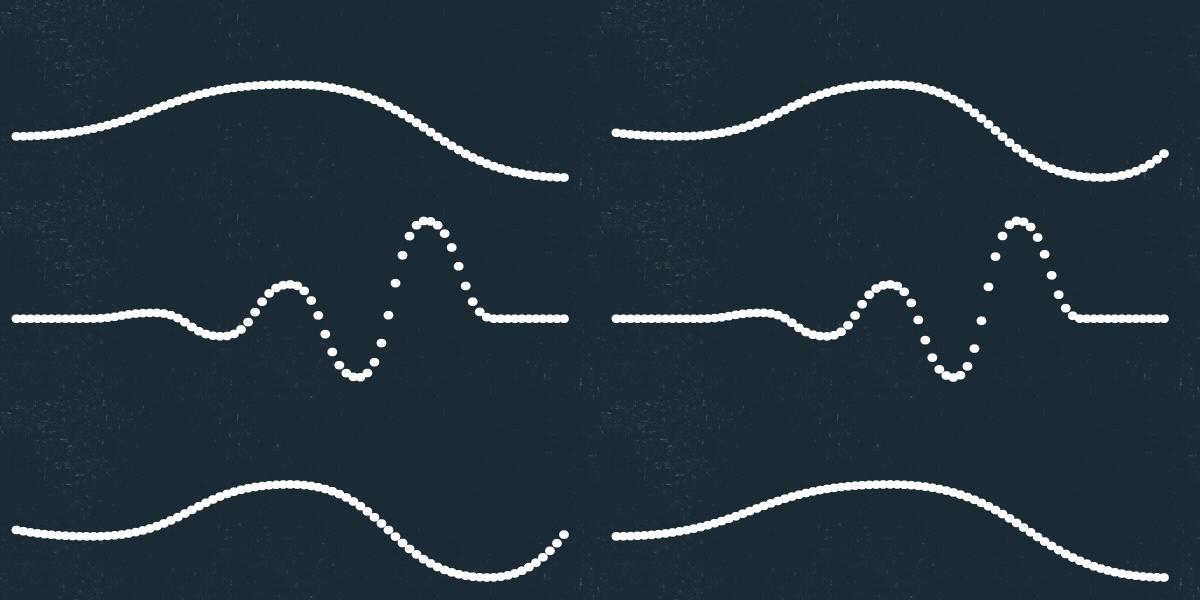
Section titled “Frequency and amplitude decay”Decay Frequency shortens later oscillations or bounces.
Decay Amplitude reduces the strength of later motions:
0%: no decay; every motion is equal25%: even, linear reduction50%: progressively stronger reduction75%: strong decay100%: later motions have effectively no influence