Presets
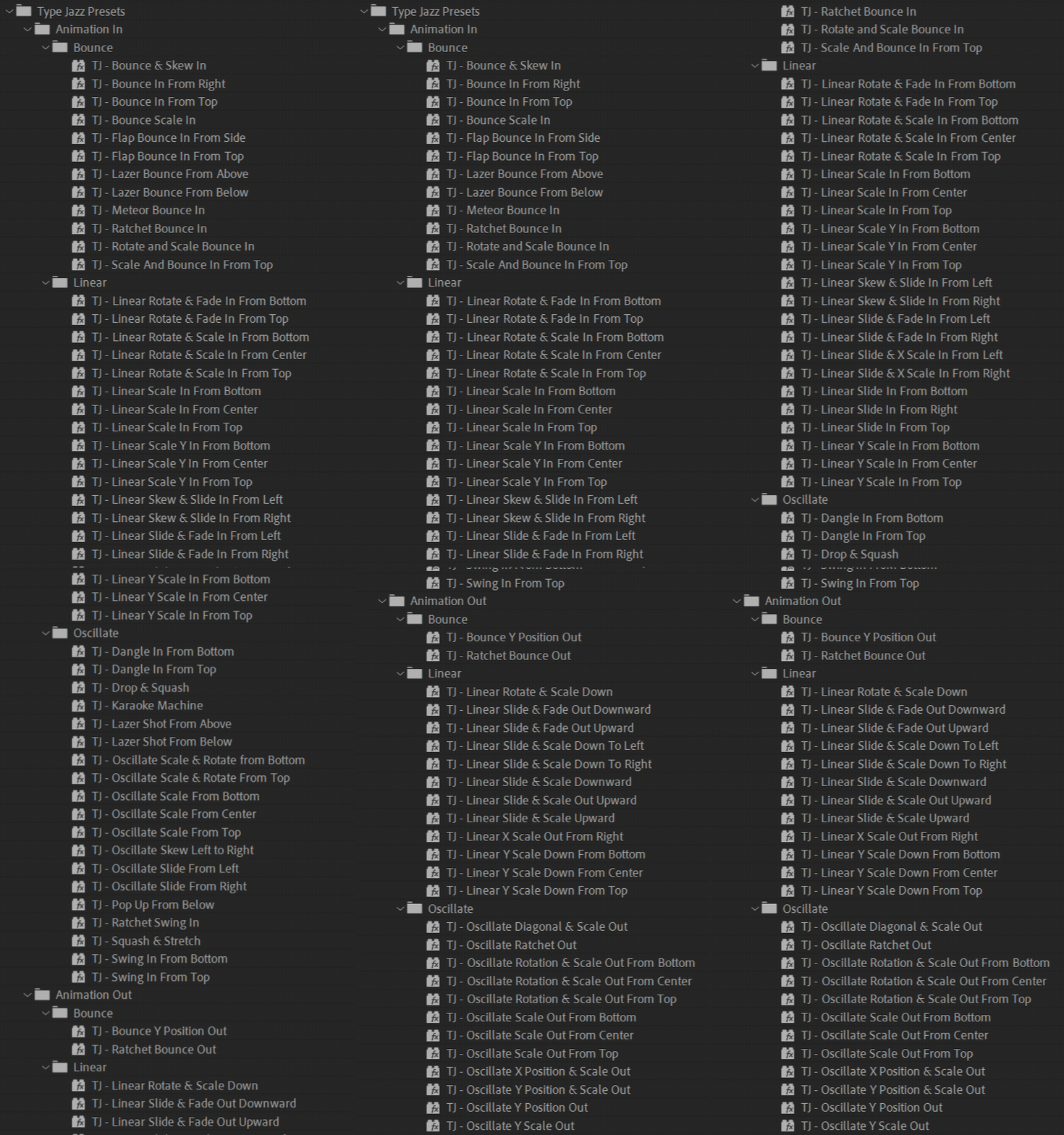
Type Jazz includes 80 In and Out animation presets. Presets update the transform and animation values for one half of the Type Jazz effect, so you can combine an In preset with a different Out preset.
Apply a preset
Section titled “Apply a preset”- Apply Type Jazz to a text layer.
- Select the Type Jazz effect in Effect Controls.
- Find the Type Jazz preset in the Effects & Presets panel.
- Apply the preset.
The presets work with Characters, Words, or Lines. Some presets require Per-Character 3D; use the panel’s Toggle per-character 3D button when needed.
Finish with the animation type button
Section titled “Finish with the animation type button”After applying a preset, click the panel’s In or Out animation type button and choose the movement type the preset uses. The folder it came from says which: Bounce, Linear, or Oscillate. Use the In animation type button for an Animation In preset, Out animation type for an Animation Out preset.
That one click is what makes the preset render. Type Jazz keeps only the animators a given movement type and direction need switched on, and it rebuilds that set whenever you use a panel button. A preset writes control values, so it can set the movement type to Bounce without switching the bounce animators on. That is why a Bounce preset applied to a layer currently set to Linear looks wrong, or barely moves at all.
Clicking the button costs nothing when the preset already matched what the layer was doing, so make it a habit.
What is in the library
Section titled “What is in the library”| Folder | Bounce | Linear | Oscillate | Total |
|---|---|---|---|---|
| Animation In | 12 | 23 | 19 | 54 |
| Animation Out | 2 | 12 | 12 | 26 |
An In preset and an Out preset can be applied to the same layer, because they write to opposite halves of the effect.
Install or update the library
Section titled “Install or update the library”Copy the entire Type Jazz Presets folder into your preferred After Effects preset directory, then choose Refresh List from the Effects & Presets panel menu.
Type Jazz 1.1.0 requires the updated 1.1 preset library. Replace presets from earlier releases.
Save your own preset
Section titled “Save your own preset”- Select the Type Jazz effect.
- Choose Animation > Save Animation Preset.
- Name and save the preset in your User Presets folder.
To save only the In or Out controls, expand the Type Jazz effect in the Timeline panel, select only the properties you want to include, then choose Save Animation Preset.